

Deploy a model
1
Browse models
In the console, open Models → Explore. Search or browse. With Fits my GPUs on (the default), you see only models that can run on your project’s GPUs. Models marked Verified have been tested end to end and are the easiest place to start.
2
Deploy
Open a model and click Deploy. Pick the GPU to run it on; the form shows how much GPU memory the model needs and marks a recommended GPU. Under Advanced you can name the deployment and choose an SSH key, which you only need if you want a shell on its server.Your deployment gets an HTTPS endpoint you can call from anywhere. It answers only requests that include the deployment’s API key.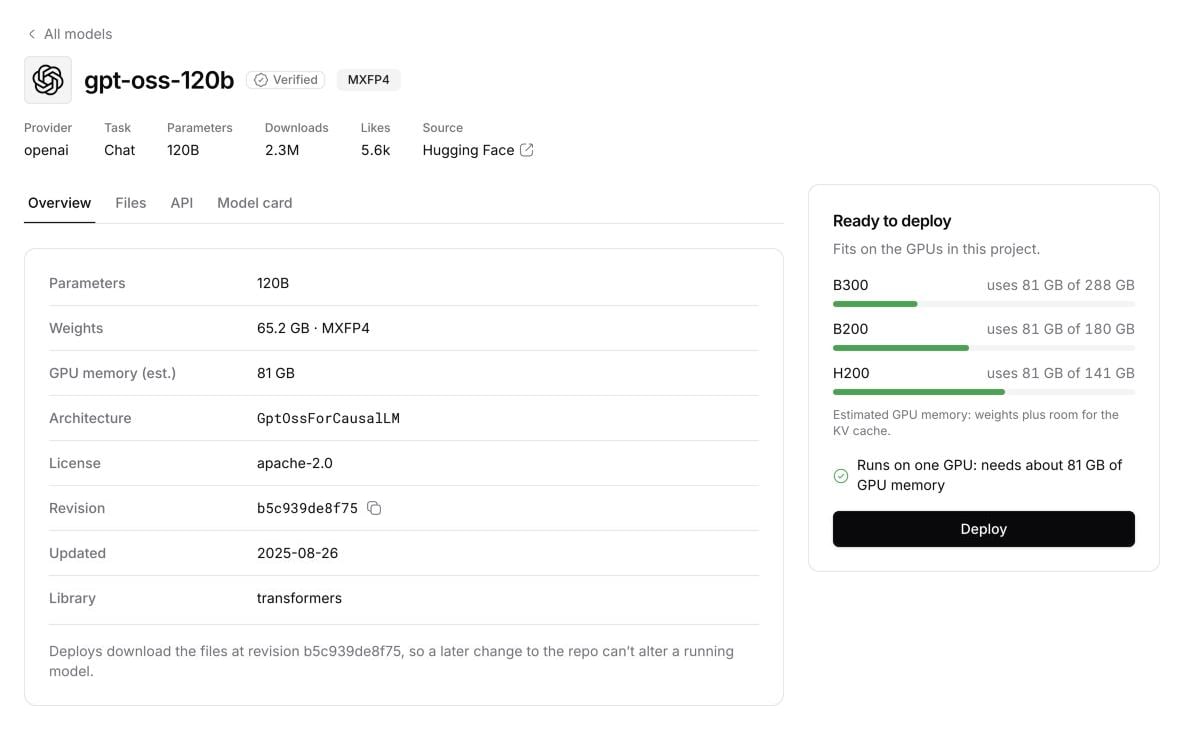
3
Copy your API key
After you deploy, the panel shows the deployment’s API key. Copy it now and store it somewhere safe: it’s shown only once and can’t be shown again. Then confirm with I’ve saved this key.The panel follows the deployment’s progress. You can close it: the deployment keeps going and is listed under Models → Deployments. Large models can take a while to load.
4
Get your endpoint
In Models → Deployments, wait until the deployment’s Status shows it’s ready, then open it. Its page shows the endpoint URL and ready-to-copy code samples.
Call your model
Set the endpoint from the deployment page and the API key you copied when you deployed as environment variables, then call the API. The endpoint URL already ends in/v1, so use it as it is, without adding /v1 again.
When you’re done
A deployment keeps a GPU reserved while it exists, even when it’s stopped, and that time is measured in GPU-hours. When you no longer need it:- To keep it for later, choose Open server in the deployment’s ⋮ menu and park that server. Resume the server to use the model again.
- To remove it, choose Delete… in the same menu and confirm with Delete deployment.
If you lose a deployment’s API key, it can’t be shown again. Delete the deployment and deploy the model again to get a new key.
Related
Models
Explore models and manage deployments.
How usage is measured
When the clock starts and stops.
Usage
GPU-hours by day and by server.
Getting help
Who to contact and what to include.