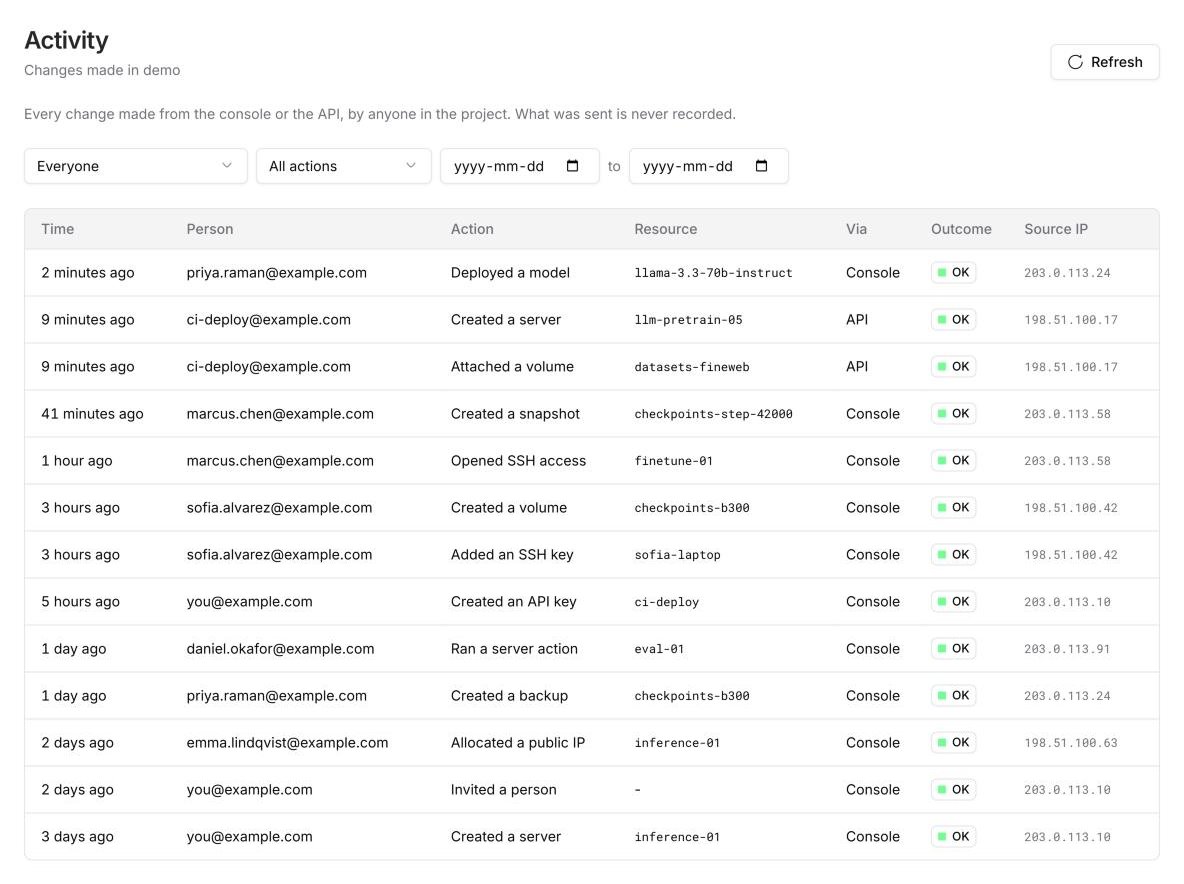
Activity lists the changes made in your project, newest first: launching or deleting a server, turning SSH on or off, creating a volume or a backup, creating an API key, inviting someone, and so on. Changes made from the console and from the API both appear here. Use it to answer questions like “who deleted this server?” or “did my script really create that volume?”.

What you see

Activity page listing recent changes with time, person, action, resource, via, outcome and source IP
Each row shows: Activity shows what was done and to what. It doesn’t show the contents of requests.

Filter the list

Filter by Action or by a date range. Owners can also filter by Person. Once a filter is set, Clear filters shows everything again. Load more shows older entries.
If an API key may have leaked, revoke it first: open the menu at the bottom of the sidebar and choose API keys. Then look in the Via column for that key’s start, which the API keys page shows under each key’s name. See API keys.

API keys

Create, scope and revoke keys for the API.

Sign in and switch project

Roles, and how owners manage the team.